TABLE OF CONTENTS
Domain-wide Call Blocking
Domain-wide call blocking is available to Office manager Scopes and above. This section outlines how to allow and block calls for the entire domain in the Manager Portal.
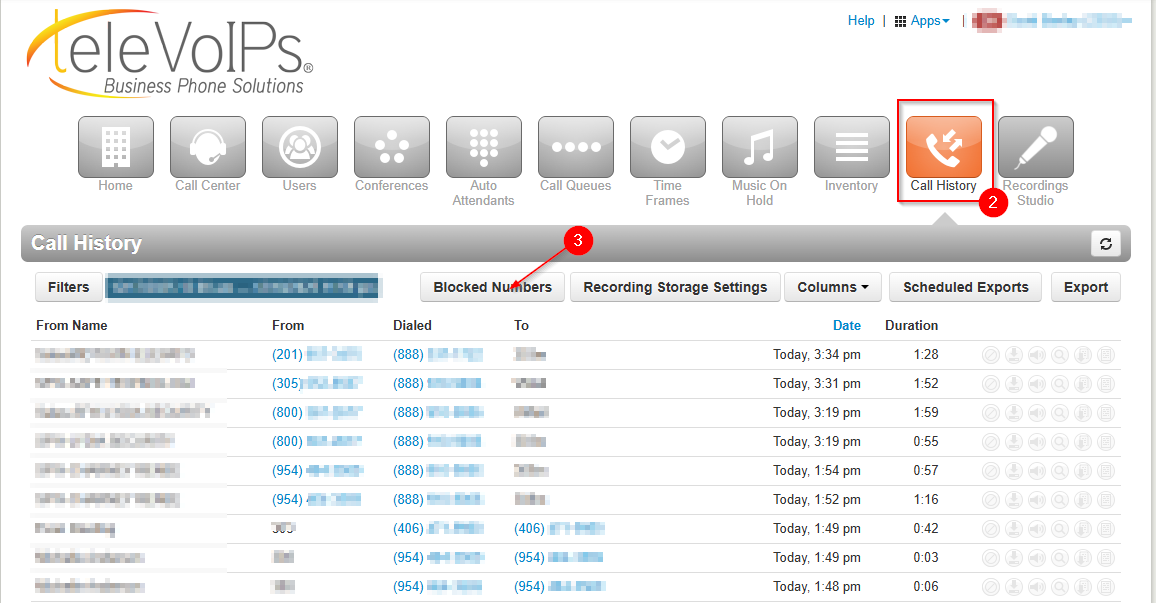
- Log into the Manager portal
- Click Call History
- Click Blocked Numbers
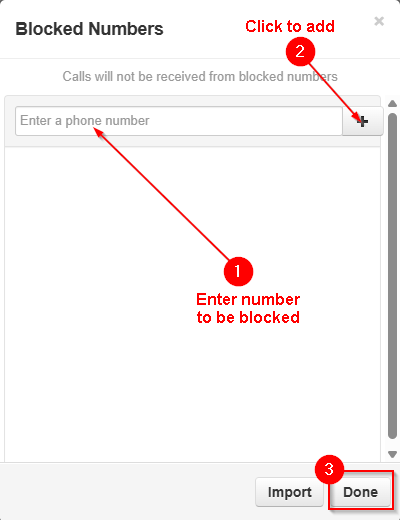
- Enter blocked numbers manually
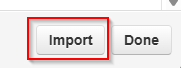
- Import a CSV:
- Block calls from Call History
- Click the block calls icon


- Calls can be unblocked by clicking again the icon again or removing from the blocked numbers list.
- Click the block calls icon
Per User Call Blocking
Per user call blocking is available to Basic Users Scopes and above. This section outlines how to allow and block calls for individual users in the Manager Portal.
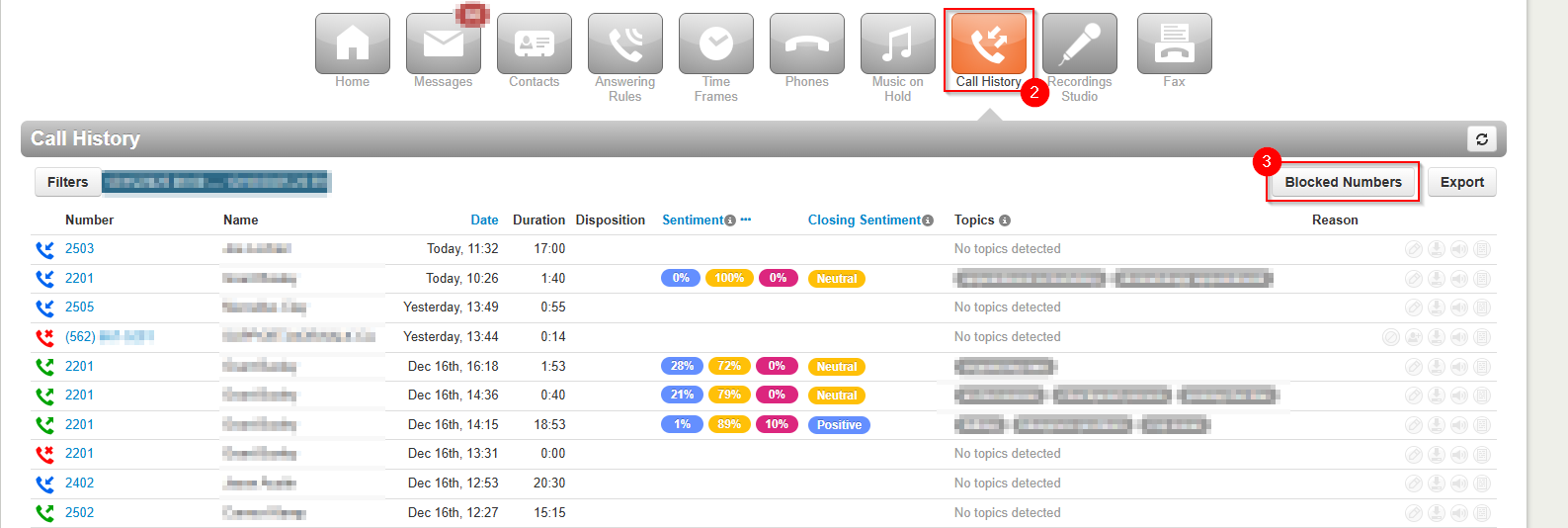
- Log into the Manager portal
- Click Call History
- Click Blocked Numbers
- Enter blocked numbers manually
- Import a CSV:
- Block calls from Call History
- Click the block calls icon


- Calls can be unblocked by clicking again the icon again or removing from the blocked numbers list.
- Click the block calls icon
Was this article helpful?
That’s Great!
Thank you for your feedback
Sorry! We couldn't be helpful
Thank you for your feedback
Feedback sent
We appreciate your effort and will try to fix the article