This document will provide you best practices to utilize Click-to-Dial through the Hubspot CRM and use TeleVoIPs outbound.
The CRM UI necessitate we use the TEL URL redirect within the web browser to point the call to our Desktop Softphone.
You can download the most recent version of our softphone here.
Changing your default TEL application:
| 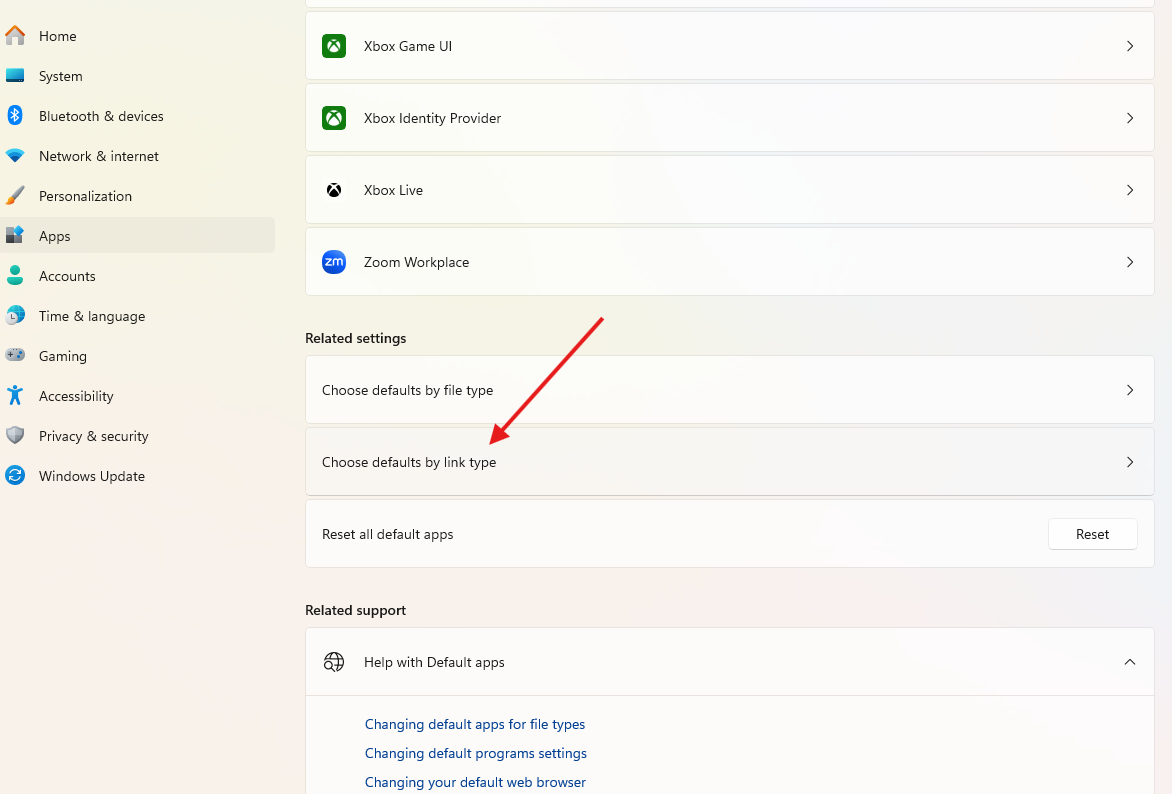 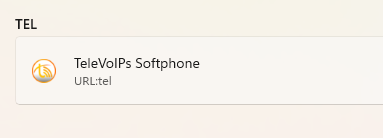 |
Using Click-to-Dial within Hubspot:
| 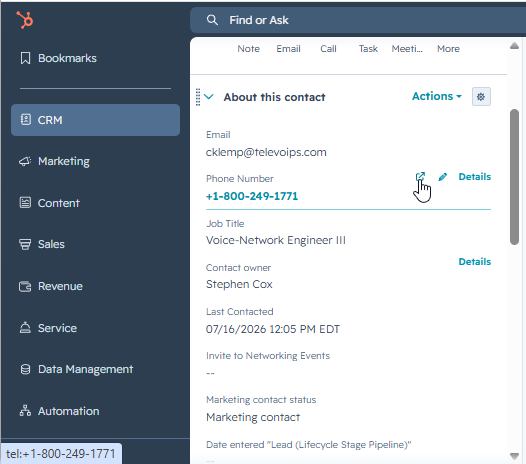 |
Was this article helpful?
That’s Great!
Thank you for your feedback
Sorry! We couldn't be helpful
Thank you for your feedback
Feedback sent
We appreciate your effort and will try to fix the article