Download Link:
files.televoips.com/apps/print2email64bit.zip
files.televoips.com/apps/print2email32bit.zip
| Once the program is installed, run the application. For Default Email Settings, select PDF Black&White Once in Default Email Provider, If you are able, select 'Outlook or MAPI compatible client'. If you cannot, select SMTP Mail Server and then 'Continue without configuration' - we will complete the configuration on a later step. Set Start preferences and finish the setup. | 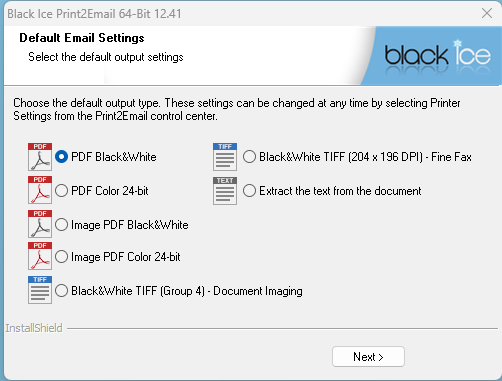 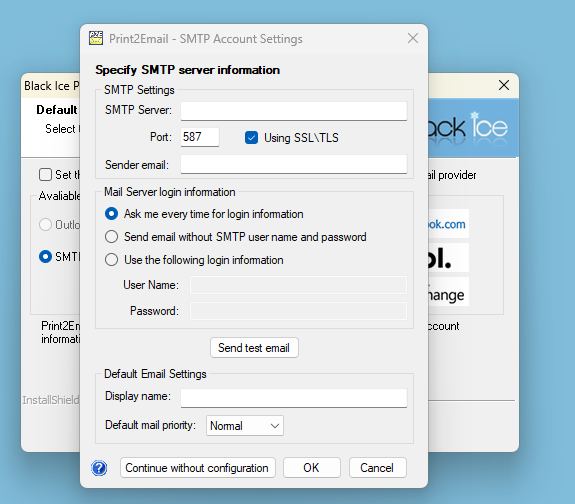 |
| Open the application 'Print2Email' Select 'Activate' when prompted Enter the following *serial number: a72ca-gc9k0ca1-1757531703 *Be sure to include the hyphens Activation link can be found under 'About' if needed, this is also where you can deactivate a key. | 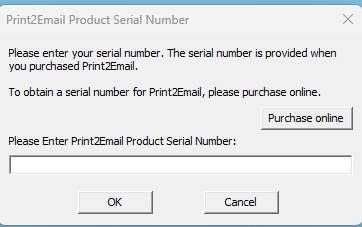 |
| Select the below settings on the left hand side of thePrint2Emailapplication Email Providers - select 'Outlook or MAPI compatible client' Email Sending - Change 'How to send the email' to Prompt the user for Email to Fax Advanced - Change the 'Email to Fax' Fax Domain field to @vfax.televoips.com Printer Settings - Change the 'Graphic Resolution' to High Resolution (600x600 DPI) | 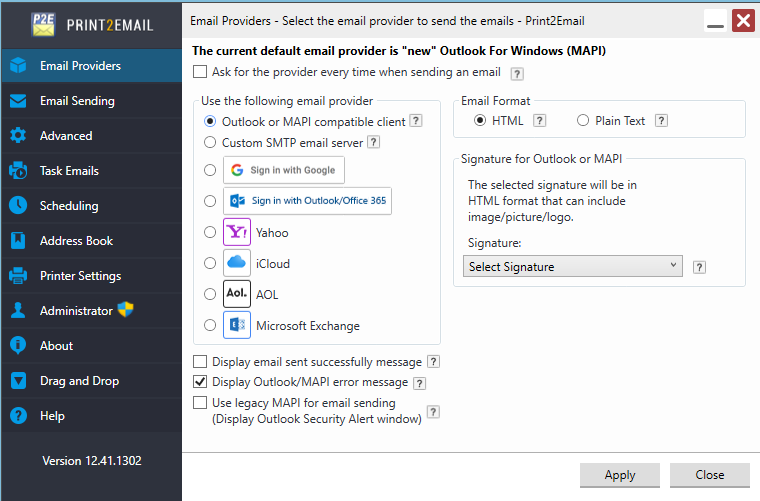 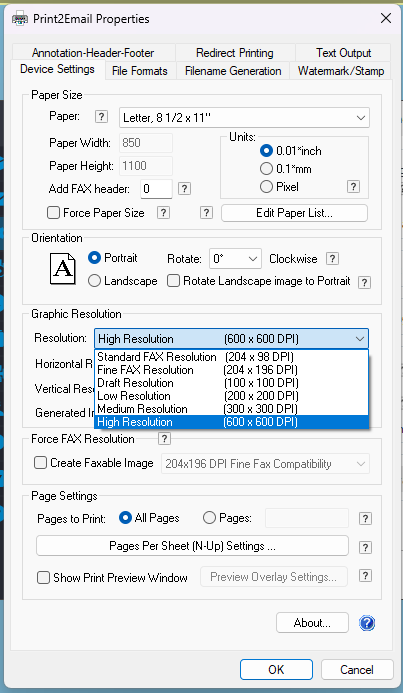 |
| Finally, we can test! Go to print your document. Select Print2Email from printer devices/destination Once you initiate the 'print', the 'Email Sender' modal will appear. Enter a valid 11-digit fax number, click 'OK' to send your fax. You should see the attempt in your outbox/sent, any confirmations will appear in your inbox. | 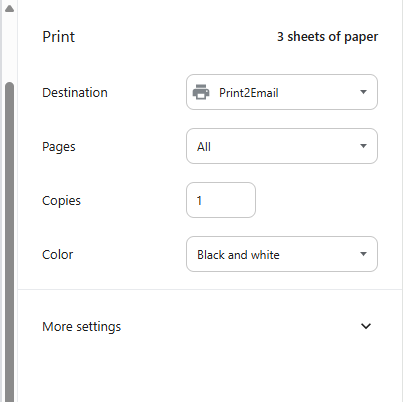 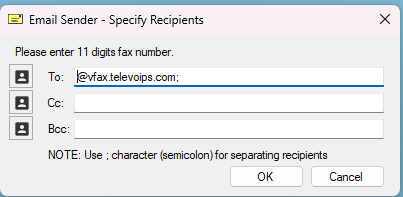 |
Was this article helpful?
That’s Great!
Thank you for your feedback
Sorry! We couldn't be helpful
Thank you for your feedback
Feedback sent
We appreciate your effort and will try to fix the article